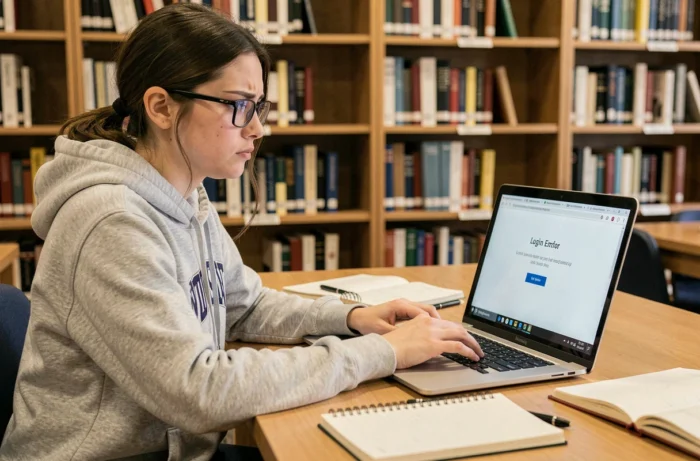
One morning, the academic webmail portal of Nantes refuses your password or displays an error page. The common reflex is to multiply login attempts, which sometimes worsens the lockout. Understanding the real cause of the blockage can save several days compared to a randomly sent support request.
Academic webmail Nantes lockout: account issue or technical problem
Before contacting anyone, the first step is to distinguish a true account lockout from a simple local malfunction. A test in private browsing is often enough to decide. If the login works in a private window or from another browser, the account is not locked: the problem lies within your environment.
| Observed symptom | Probable cause | Recommended action |
|---|---|---|
| Password refused on all browsers and devices | Expired password or locked account | Reset procedure via backup address, or contact rectorate/DSDEN |
| Blank page or loading error | Corrupted cache, cookies, or blocked pop-ups | Clear cache, test in private browsing |
| Login impossible only on campus | Proxy or local network filtering | Test from a personal mobile network (4G/5G) |
| Webmail inaccessible but IMAP works on a mail client | Webmail interface outage | Temporarily use an IMAP client (Thunderbird, Outlook) |
This table covers the majority of cases encountered. A teacher who identifies the correct line saves time and avoids clogging academic support with an off-topic ticket.
For those looking for a detailed guide on troubleshooting steps, it is possible to access the academic webmail of Nantes by following a step-by-step procedure tailored to the most frequent lockouts.
Password reset for academic accounts: the trap of the backup address
Resetting the password on the academic webmail of Nantes does not work like on Gmail or Outlook. Without a previously registered backup address, online recovery systematically fails. This is a major operational blockage point, not a mere configuration detail.
When a teacher has never provided a backup address (or has forgotten it), the online procedure stops abruptly. The system then redirects to the rectorate or the DSDEN of the relevant department. This manual handling can take several working days, depending on the time of year.
Register a backup address before the lockout
The best time to set up this backup address is now, while the account is still functioning. Here are the checks to make:
- Log in to the academic portal and verify that the registered recovery address is still valid (not an old ISP address or a deleted account)
- Ensure that this backup address is indeed a mailbox you check regularly, not a forgotten alias
- Note down the exact identifier of your academic account (often in the format [email protected]), as the reset form requires it as is
In the absence of this preparation, the only recourse remains direct contact with academic IT services. Delays vary, but the back-to-school periods and end-of-term are the busiest.
Network filtering and school proxy: an invisible cause of blockage
A denied access does not always mean that your account is compromised. The network filtering of the institution sometimes blocks access to the webmail without any explicit error message. Some school proxies restrict outgoing connections to mail servers, especially if a personal VPN is active simultaneously.
The discriminating test is simple: switch to your mobile connection (4G or 5G) and try to log in from your phone. If the webmail responds normally, the problem comes from the local network, not from your account.
IMAP client as a workaround
When the web interface of the academic webmail is inaccessible (outage, maintenance, filtering), a mail client configured in IMAP often remains functional. Thunderbird, Apple’s Mail app, or Outlook can connect to the IMAP and SMTP servers of the Nantes academy independently of the web portal.
Configuring an IMAP client alongside the webmail serves as insurance against interface outages. The server settings (IMAP and SMTP addresses, ports, encryption type) are found in the technical documentation of the rectorate. Keep them in an accessible file offline.
Security of the academic account: practices that prevent recurring lockouts
An account locked once has a good chance of being locked again if the underlying causes are not addressed. Several habits reduce this risk:
- Change the password before its expiration date (the academic portal usually sends a reminder, but these messages sometimes end up in spam)
- Do not reuse the same password as on personal services, as an external data leak can trigger a preventive lockout on the academy’s side
- Avoid saving academic credentials in a shared browser in the teachers’ lounge
- Regularly check that the backup address is still active and accessible
An expired password is the primary cause of lockouts on academic mail services. The expiration period is not always the same across academies, but the mechanism remains identical: past the deadline, the account locks on the next login attempt.
On the other hand, a lockout related to failed login attempts (by a third party or by mistake) follows a different logic. The account sometimes unlocks automatically after a delay or requires support intervention. In both cases, not multiplying password attempts remains the golden rule to avoid worsening the situation.
The academic webmail of Nantes covers several departments and tens of thousands of agents. Peaks in reports on outage tracking platforms coincide with back-to-school and end-of-term periods. A lockout occurring during these times is more likely to be related to server overload than to an individual problem. Checking the service status before initiating a recovery procedure is part of the reflexes to acquire.